WILO - Picking Up Where I Left Off In Unity
- Problem
- Returning to a Unity project after a break often starts with remembering what was last done and what comes next.
- Work
- Built a local editor utility for quit notes, startup reminders, searchable history, and preferences.
- Tech
- Unity 6, EditorWindow, UIElements/IMGUI, JSON, UPM
- Result
- Project re-entry becomes faster without introducing an external task tool or version-control noise.
Overview
WILO is a small Unity editor utility for project memory.
When I close a project, I often know exactly what the next step is. The problem is that a day later, that context is easy to lose. External tools like Notion or Trello can help, but switching out of Unity just to write a tiny note adds friction.
WILO keeps that note inside the project. On quit, it can ask for a short note. On the next launch, it surfaces the last note so I can continue without digging through memory, commits, or external boards.
It is not version control. It is a lightweight context layer for the human part of returning to a project.
What It Does
- shows an optional note prompt when closing Unity
- shows the last note when the project opens again
- stores notes locally inside the project
- provides a searchable notes browser
- supports session and day grouping
- includes preferences for startup and quit behavior
- is packaged for Unity Package Manager workflows
Why This Was Worth Doing
The useful part of WILO is not the note itself. The useful part is putting that note where the work happens.
I wanted a tool that did not introduce a new planning system. It should not compete with Git, task boards, or documentation. It should only answer one question quickly:
What was I doing when I stopped?
That kept the design small: fast capture, fast recall, local storage, and no external service.
Implementation Summary
The editor extension hooks into normal Unity editor moments:
- quitting the editor can open a small note prompt
- launching the project can show the last saved note
- a notes browser lets me search previous notes
- preferences control whether the prompts appear
Notes are stored locally as JSON under the project Library folder. That keeps the data close to the project while avoiding version-control noise.
The browser view also supports compact scanning. For longer work sessions, a titles-only view makes it easier to skim a day without opening every note.
Screenshots
1. Exit popup
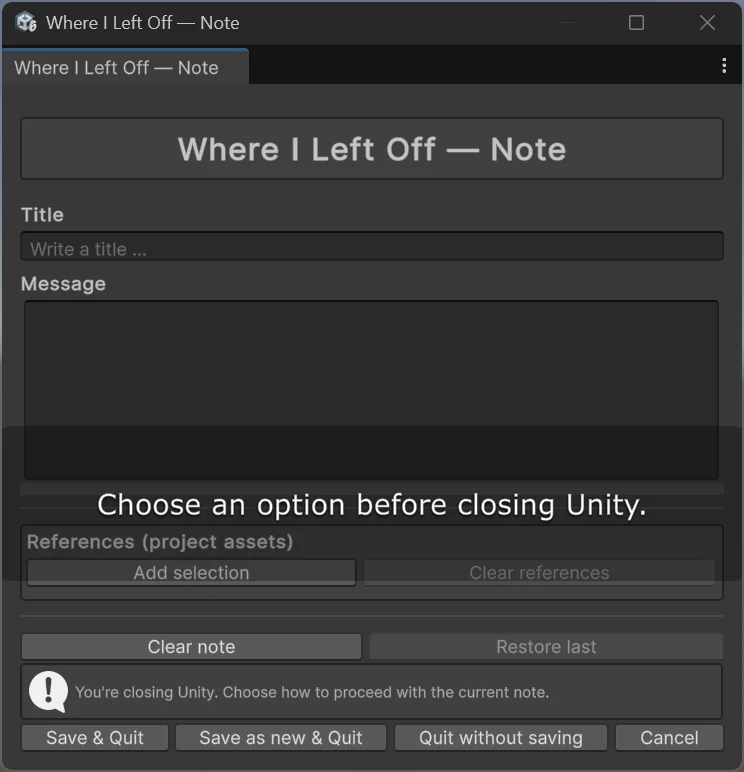
A quick note before closing Unity.
2. Startup reminder
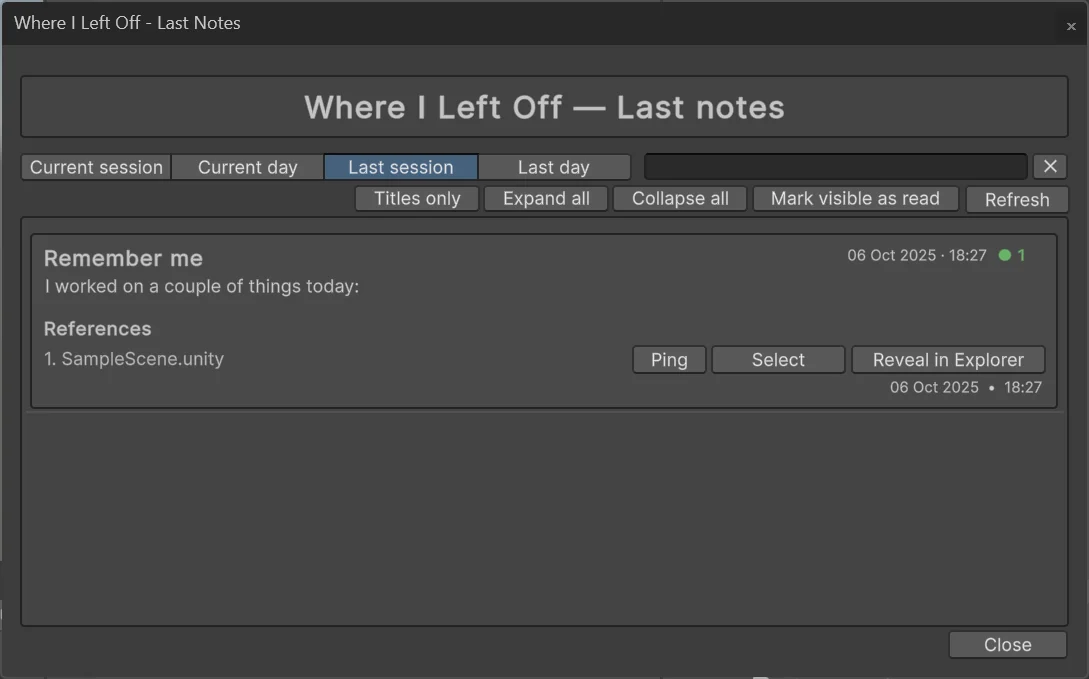
The last note appears when the project opens.
3. Notes browser
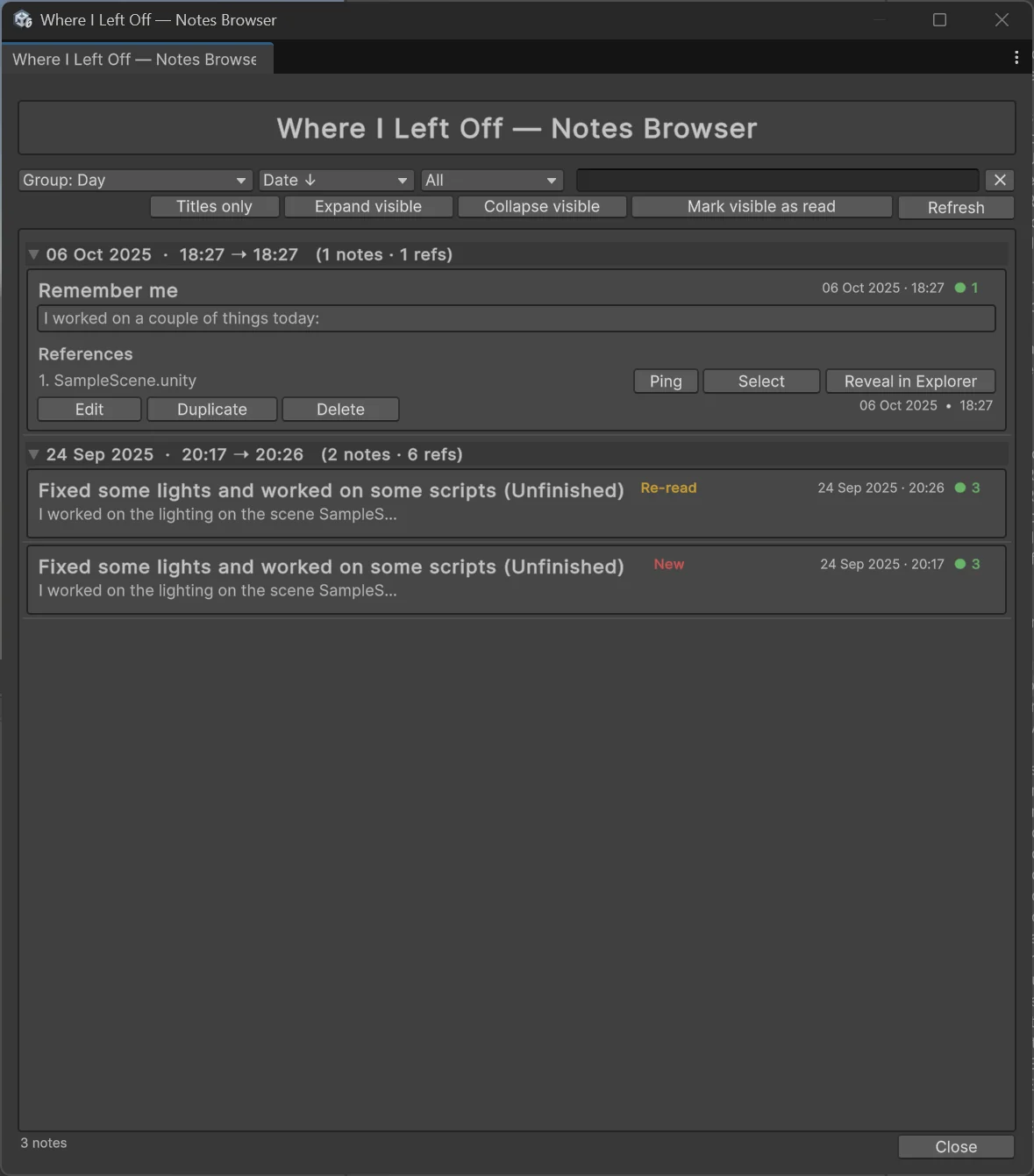
Searchable history with session and day views.
4. Preferences
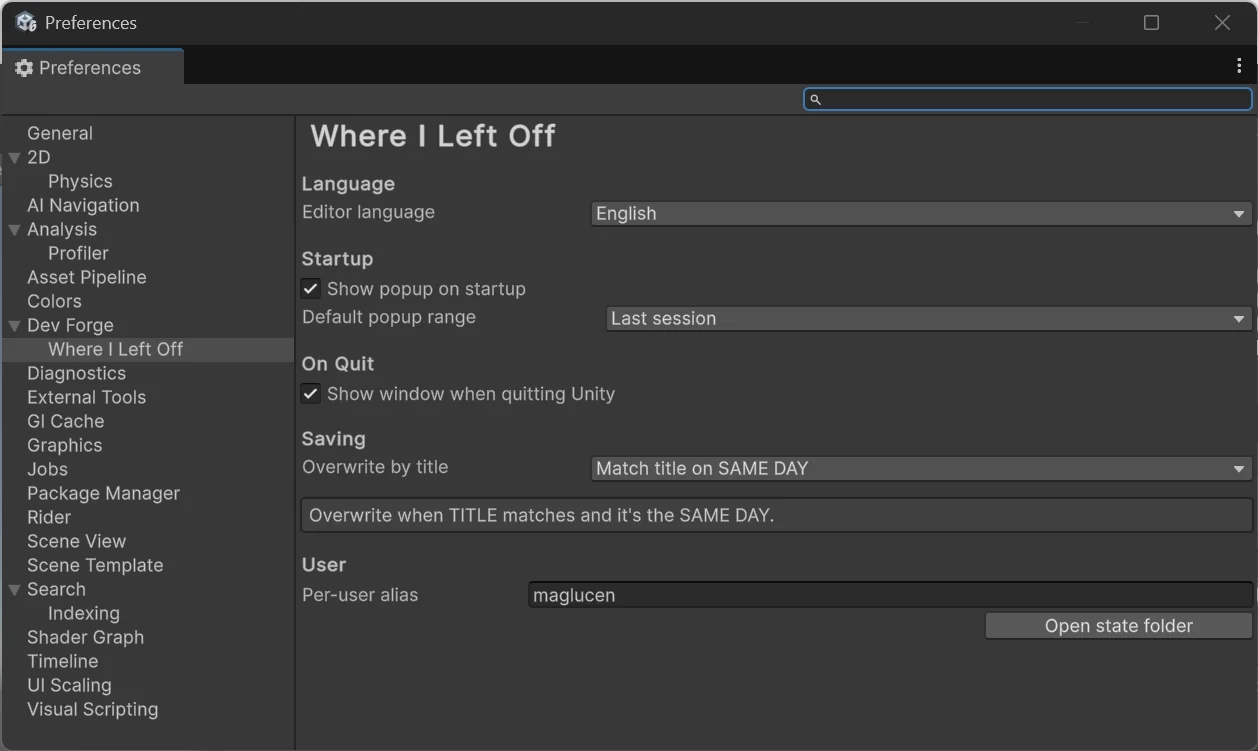
Control startup prompts, quit prompts, language, and view options.
Result
WILO reduced the time I spend re-orienting after reopening a Unity project. The gain is small but practical: I can leave a breadcrumb at the end of a session and pick it up later without changing tools.
The project also gave me a reusable base for editor-side UX ideas such as note templates and quick links to scenes, assets, or scripts mentioned in a note.
Privacy
WILO stores notes locally inside the Unity project. It does not send note data to an external service.
Want to talk about this kind of work?
Share the project where it fits. X opens with a question draft; LinkedIn shares the article link.