Unity Runtime & Editor Tool Suite
Unity tools developer, runtime systems design, editor workflow tooling, package architecture
- Problem
- Different Unity projects kept needing the same foundations rebuilt by hand: scene startup, story flow, saves, video playback, documentation, setup profiles, and runtime helpers.
- Work
- Built a modular suite of runtime systems and editor tools covering story flow, typed saves, video catalogs, documentation, reusable building blocks, event routing, synchronized experience startup, project setup, and common runtime behavior.
- Tech
- Unity 6, C#, UPM, asmdef, ScriptableObject authoring, custom inspectors, UnityEvents, Timeline, VideoPlayer, Visual Effect Graph
- Result
- New projects became easier to set up and maintain, with profile-driven settings, reusable systems, and documented workflows replacing one-off scene scripts and repeated manual setup.
Overview
Unity Runtime & Editor Tool Suite is a collection of Unity tools I built after running into the same production problems across multiple projects.
It is not one single feature. It is a set of runtime systems, editor windows, authoring assets, generated code, reusable prefabs, and workflow utilities that cover the kind of work that otherwise tends to be rebuilt project by project: scene startup, story flow, video playback, save data, documentation, build checks, interaction setup, and visual feedback.
The tools live as modular Unity packages, but the useful part is the workflow behind them. Designers and developers can assemble common behavior from documented, reusable systems instead of wiring a new version of the same scene-specific scripts every time.
This was built as an internal foundation, not as a public product UI. The value is in the systems, authoring patterns, generated IDs, profiles, and repeatable setup workflows.
Featured Tools
Story System
Problem: We often worked on story-driven projects where the same narrative plumbing kept coming back: chapters, progression steps, gameplay triggers, Timeline moments, scene changes, and actions that moved the player from one part of the experience to another. Without a shared structure, that logic can easily become one large manager that knows too much about the whole project.
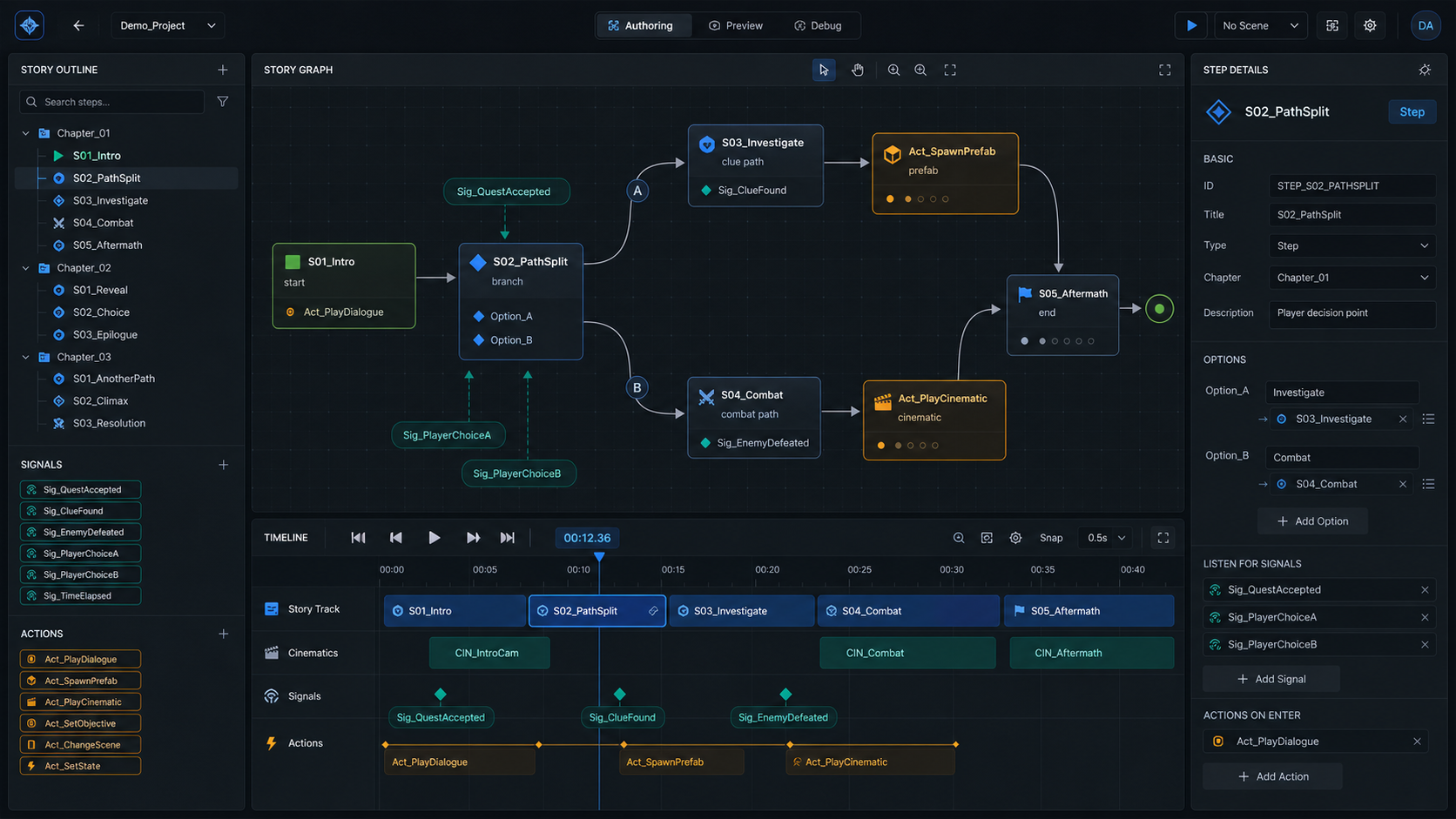
What I built: A modular ScriptableObject-driven story system based on chapters, steps, signals, and actions. Each part of the story can be authored as an isolated step, with generated IDs, runtime contexts, Timeline bindings, scene actions, prefab spawning, and event-system integration.
Why it matters: The system does not remove the need for custom programming, but it gives each story beat a clear boundary. Instead of putting the whole narrative inside a macro-manager, the logic can be split into smaller blocks, reordered more easily, connected through signals and actions, and separated across scenes when needed.
Video Catalog & Playback Tools
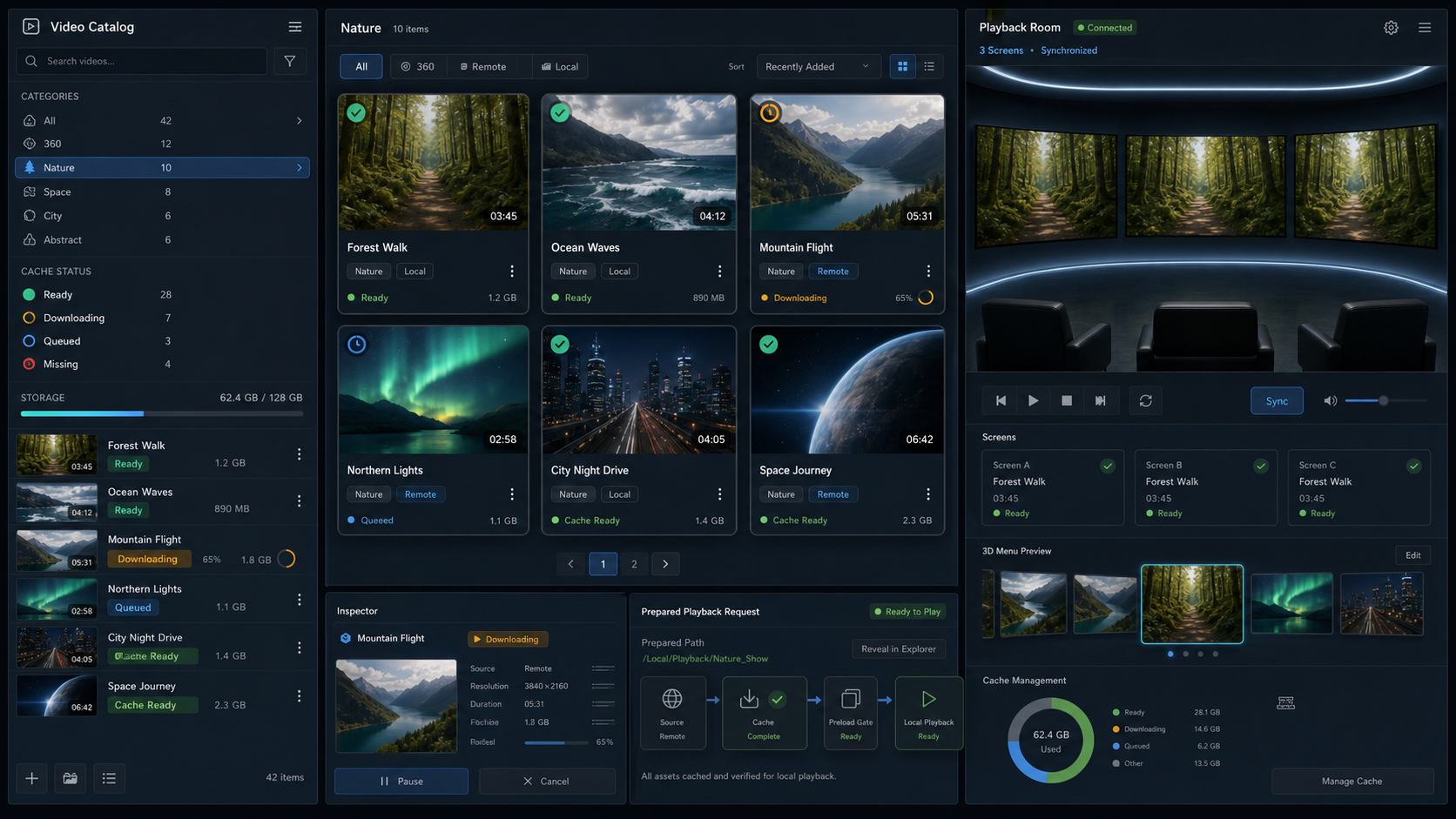
Problem: Video-heavy experiences needed more than a list of files. We needed a reusable way to manage remote and local videos, preload content, show cache state in menus, and coordinate playback across multiple screens.
What I built: A video catalog workflow with shared catalog libraries, generated catalog/video IDs, remote download and cache management, local storage support, preload gates, cache-status events, delete-cache actions, 3D category menus, and simultaneous multi-screen playback.
Why it matters: Content can be authored as catalogs instead of scene-specific video references. Menus can show whether content is missing, partial, downloading, outdated, or ready, and playback scenes can request prepared local paths without also owning download and cache logic.
Experience Start & Session Stats
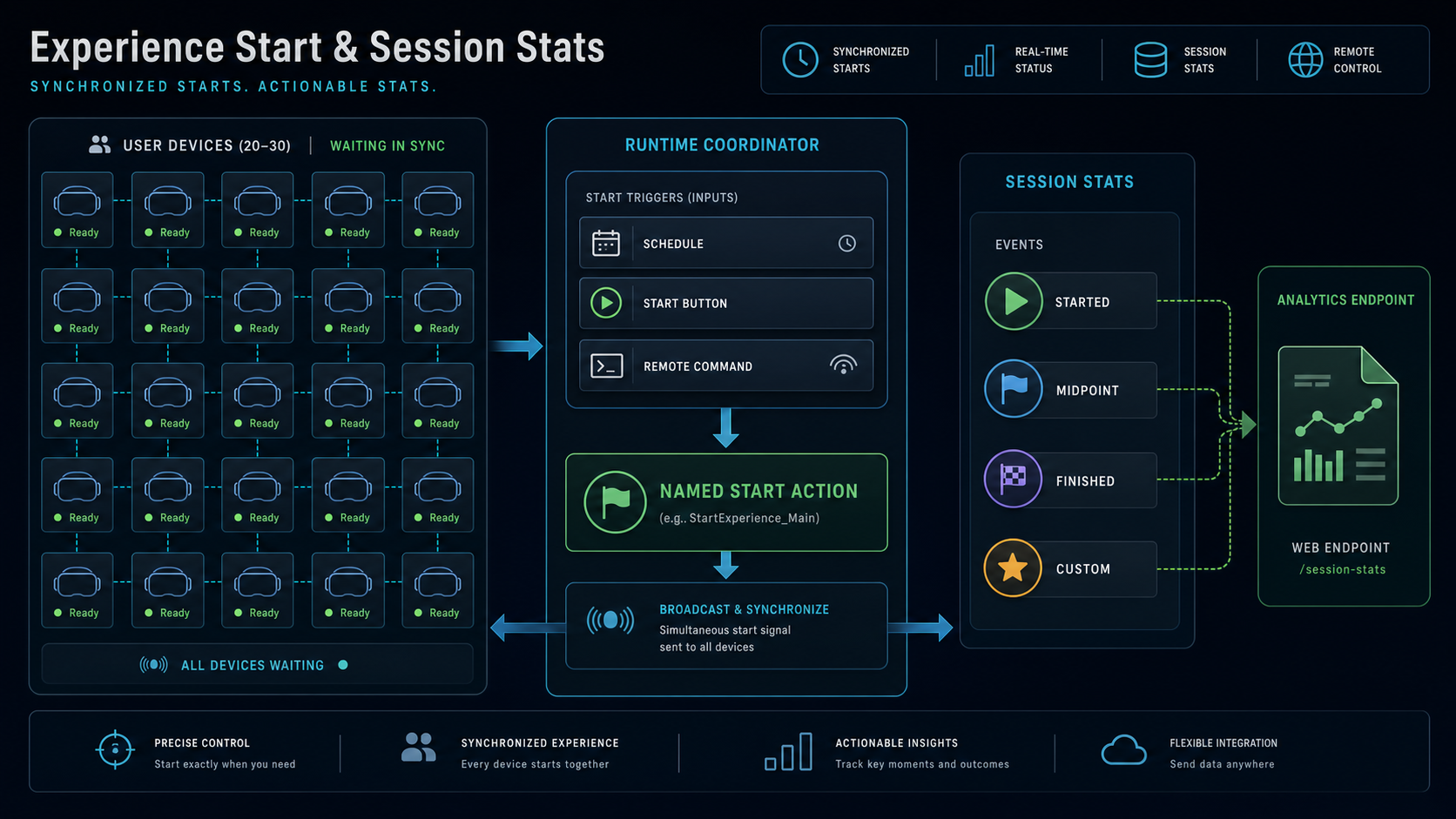
Problem: Some demos and installations need many running instances of the same app to start together. The first use case for this was an experience where 20-30 people could have the app open at the same time, and the actual start needed to happen for everyone from a schedule or from one external trigger.
What I built: A lightweight runtime flow for coordinating how an experience starts. The ExperienceStartCoordinator manages named start actions that can be launched by schedule, by an explicit trigger such as a button or UnityEvent, or by a valid remote command detected through a poller. It can resolve scheduled start times from an exported spreadsheet and fall back to the next configured time window when remote data is not available. I also built a small stats reporter for session events such as started, midpoint, finished, or custom milestones, including app version, runtime environment, device/session IDs, and retry handling.
Why it matters: Startup logic stays in one reusable component, while scene logic only reacts to the chosen start action. That made synchronized starts reusable across installation-style projects instead of solving them again with scene-specific scripts. The stats side gave projects a common way to track basic experience progress without rebuilding the same session/reporting plumbing each time.
Generated Save System
Problem: Save data is one of those systems that becomes painful if every project handles it differently. Runtime state and persistent data can quickly drift into hand-written services, duplicated field names, and ad-hoc JSON handling.
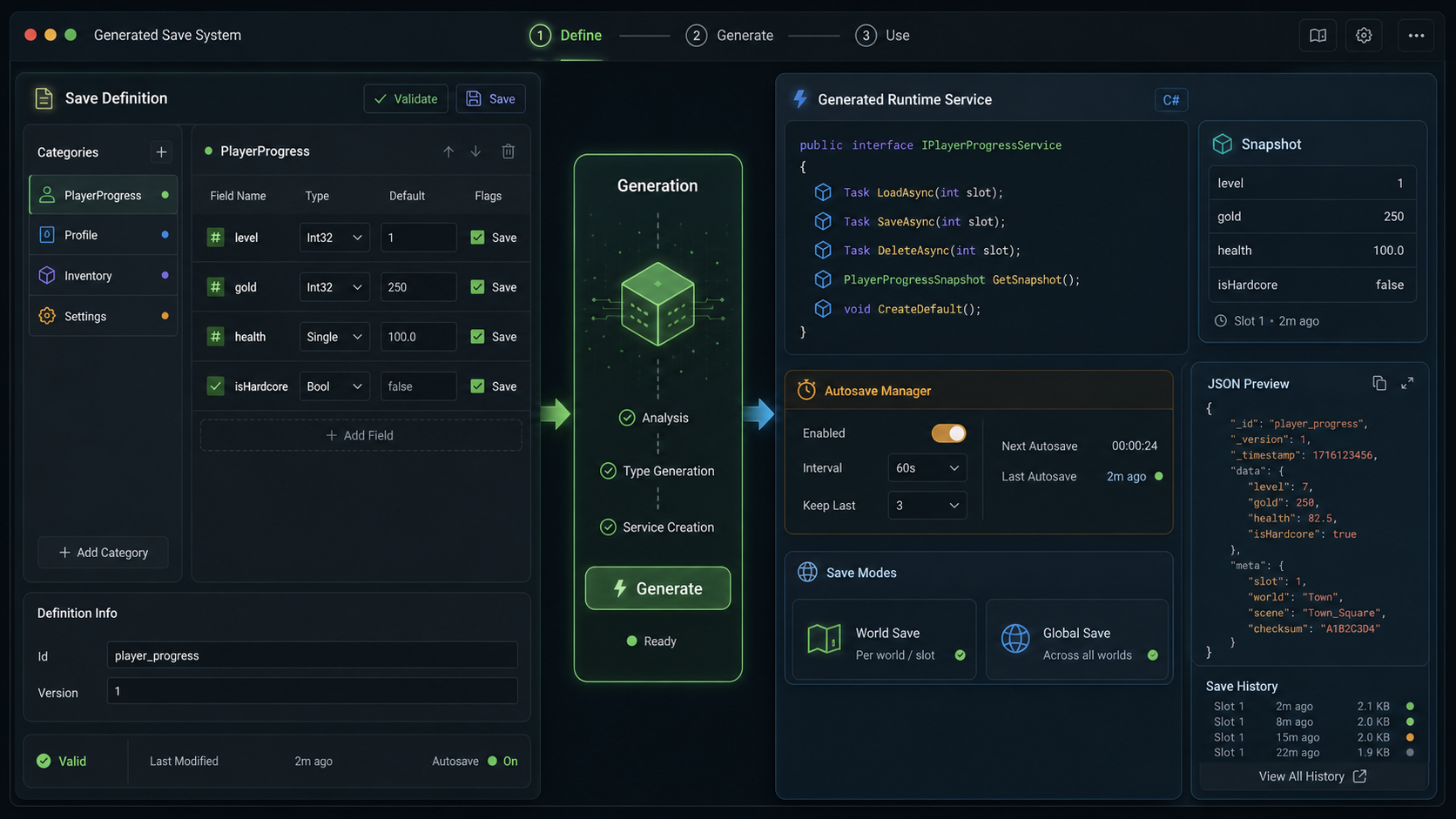
What I built: A save definition workflow where projects define categories, fields, default values, and custom DTO types in Unity, then generate typed runtime services for transient state, world/session saves, and global persistent saves.
Why it matters: Gameplay code gets typed fields, snapshots, events, autosave support, and session management without manually maintaining repetitive save-service code.
Documentation & Building Blocks
Problem: Documentation only helps if people can actually find it when they are working. When setup notes live outside Unity, or only in scattered README files, important prefab and workflow knowledge is easy to lose.
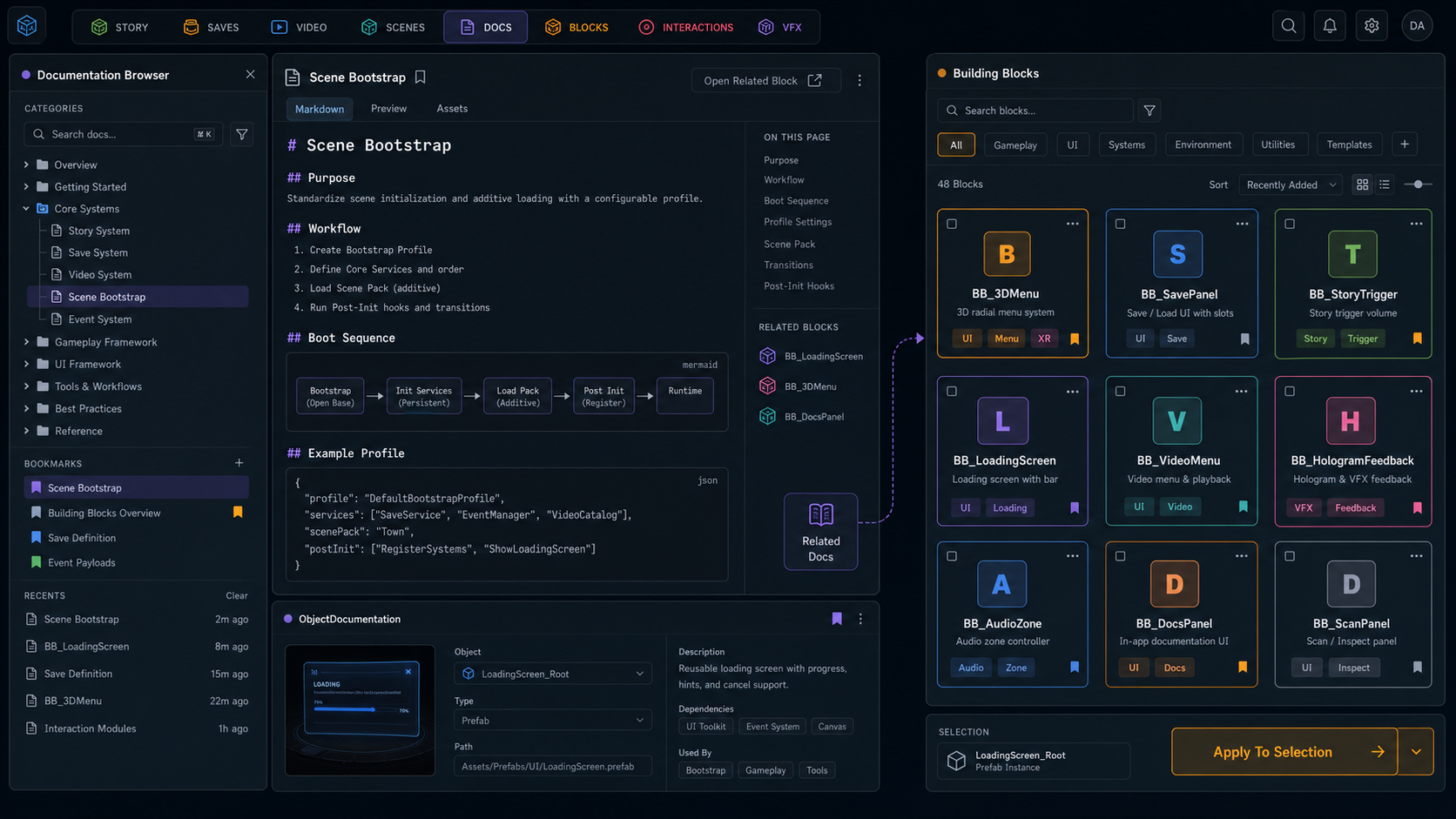
What I built: An in-Unity documentation browser for Markdown docs with a categorized tree, search, heading navigation, bookmarks, recents, read/unread state, update tracking, tables, code blocks, and internal links. I also built an ObjectDocumentation component for documenting prefabs and scene roots directly from the inspector, with Markdown export and optional asset-backed storage.
Why it matters: Documentation stays close to the work. Artists, designers, and developers can open tool docs from Unity, while important prefabs can carry setup notes, warnings, dependencies, and usage instructions with them.
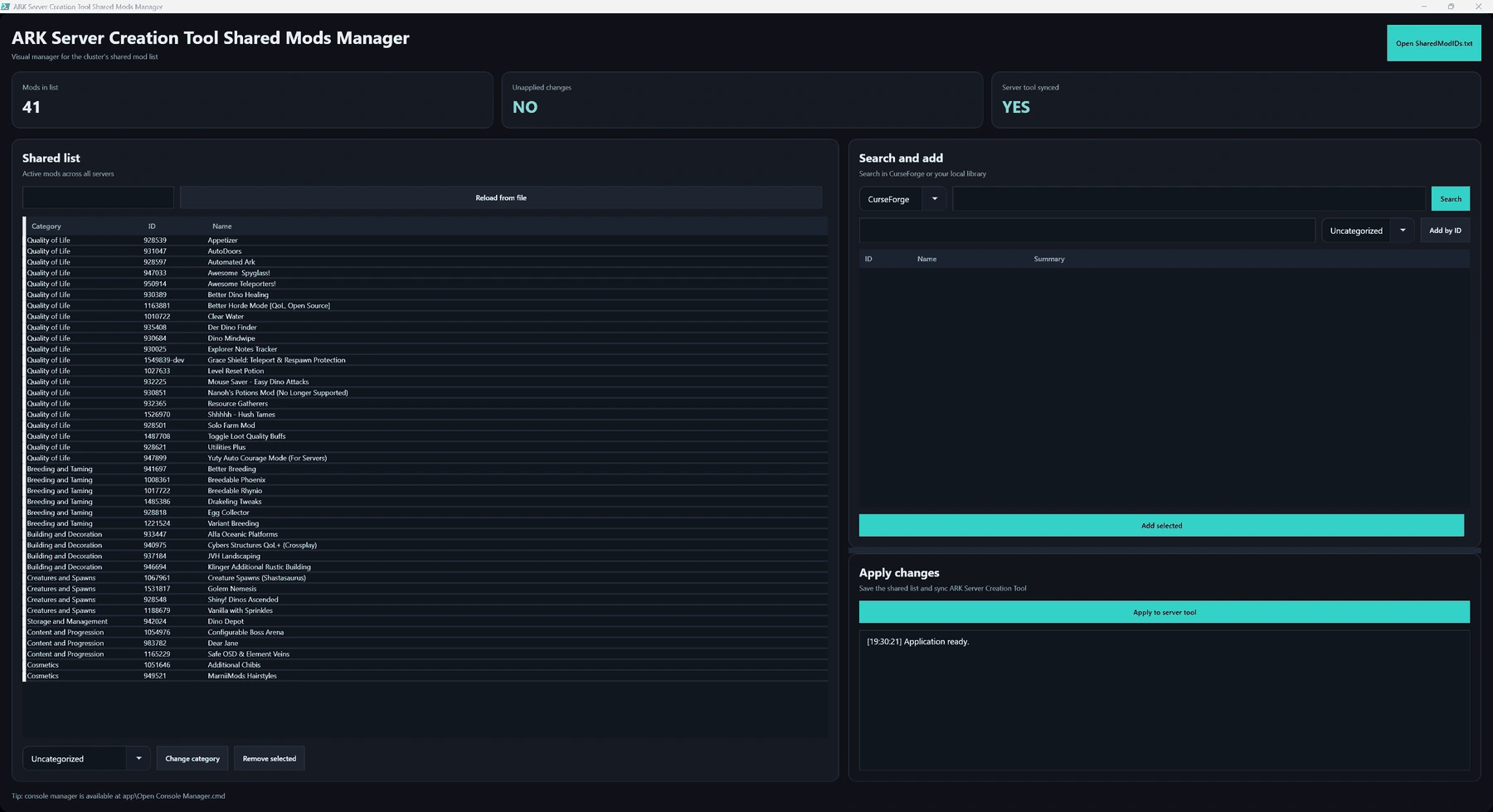
What I built: A Building Blocks browser that discovers reusable setup assets, displays cards with descriptions and tags, opens related documentation, installs optional modules, and applies blocks by instantiating prefabs or adding components to selected objects.
Why it matters: Common setups become discoverable and repeatable from the editor. It reduces manual wiring mistakes and gives non-programmers a safer way to assemble standard scene infrastructure.
Event System (ESM)
Problem: UI, audio, story, interaction, and scene systems often need to talk to each other, but direct references everywhere make scenes harder to maintain. As scenes grew, passing references between objects or wiring custom callbacks manually became fragile.
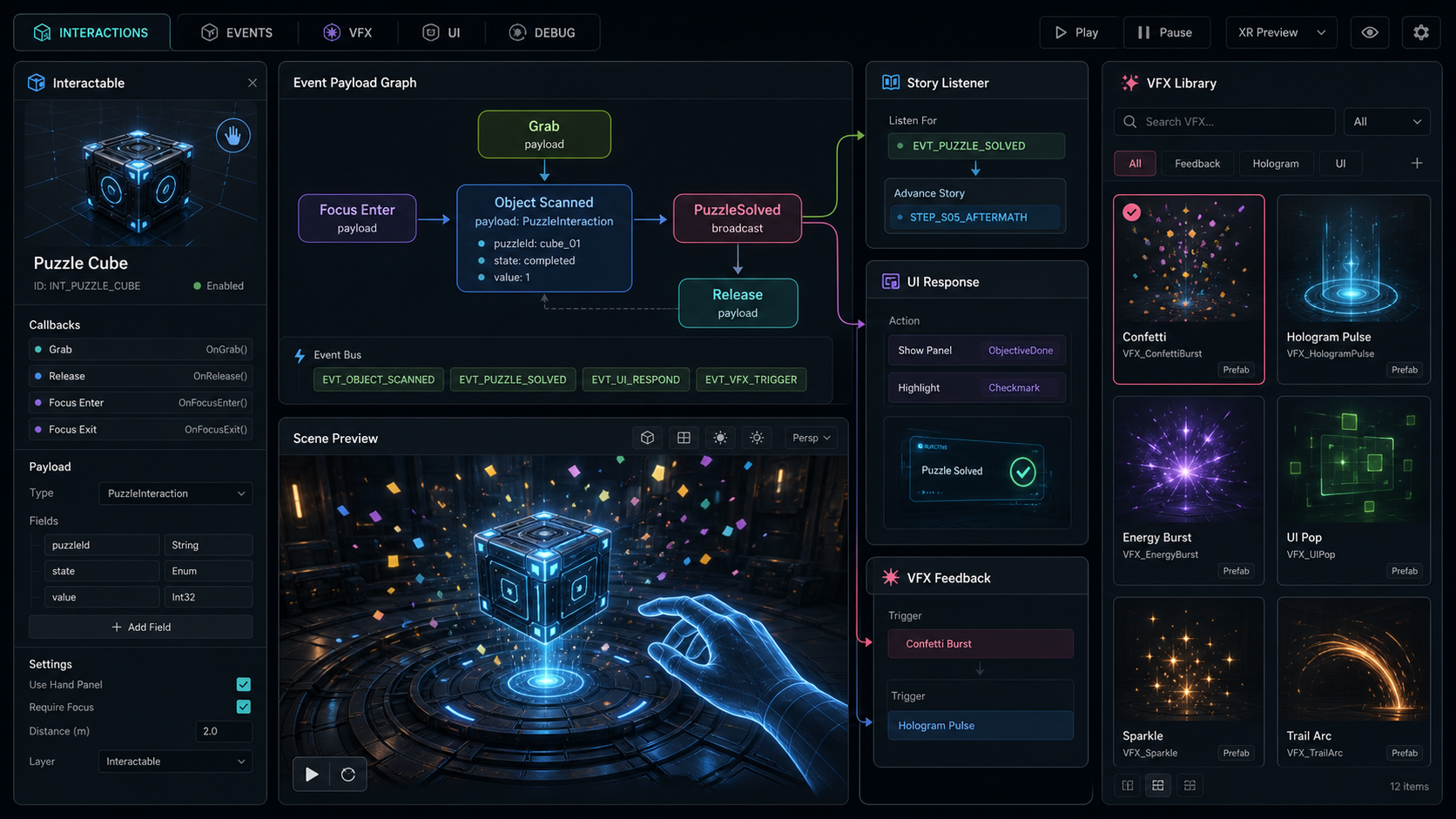
What I built: A global event system where objects can raise events and subscribe to events through a shared runtime manager. Events are defined in a database with typed payload definitions, generated constants, inspector dropdowns, scene trigger/listener components, and lifecycle helpers.
Why it matters: Scene objects can react to global gameplay, story, UI, audio, or interaction events without knowing who emitted them. Code avoids scattered string literals and direct dependencies, while designers can still wire event-driven behavior from the inspector.
Supporting Utilities
The suite also includes smaller workflow and runtime tools. They are not the headline systems, but they solved problems that came up constantly in real production work.
Project Organization & Render Setup
What I built: Project-structure creation, render pipeline/profile setup, sample synchronization, package version tooling, thumbnail generation, developer-mode settings, and package maintenance documentation.
Why it matters: New projects start from the same known structure instead of drifting through manual folder setup, copied settings, or undocumented render configuration.
Bootstrap Settings & Profiles
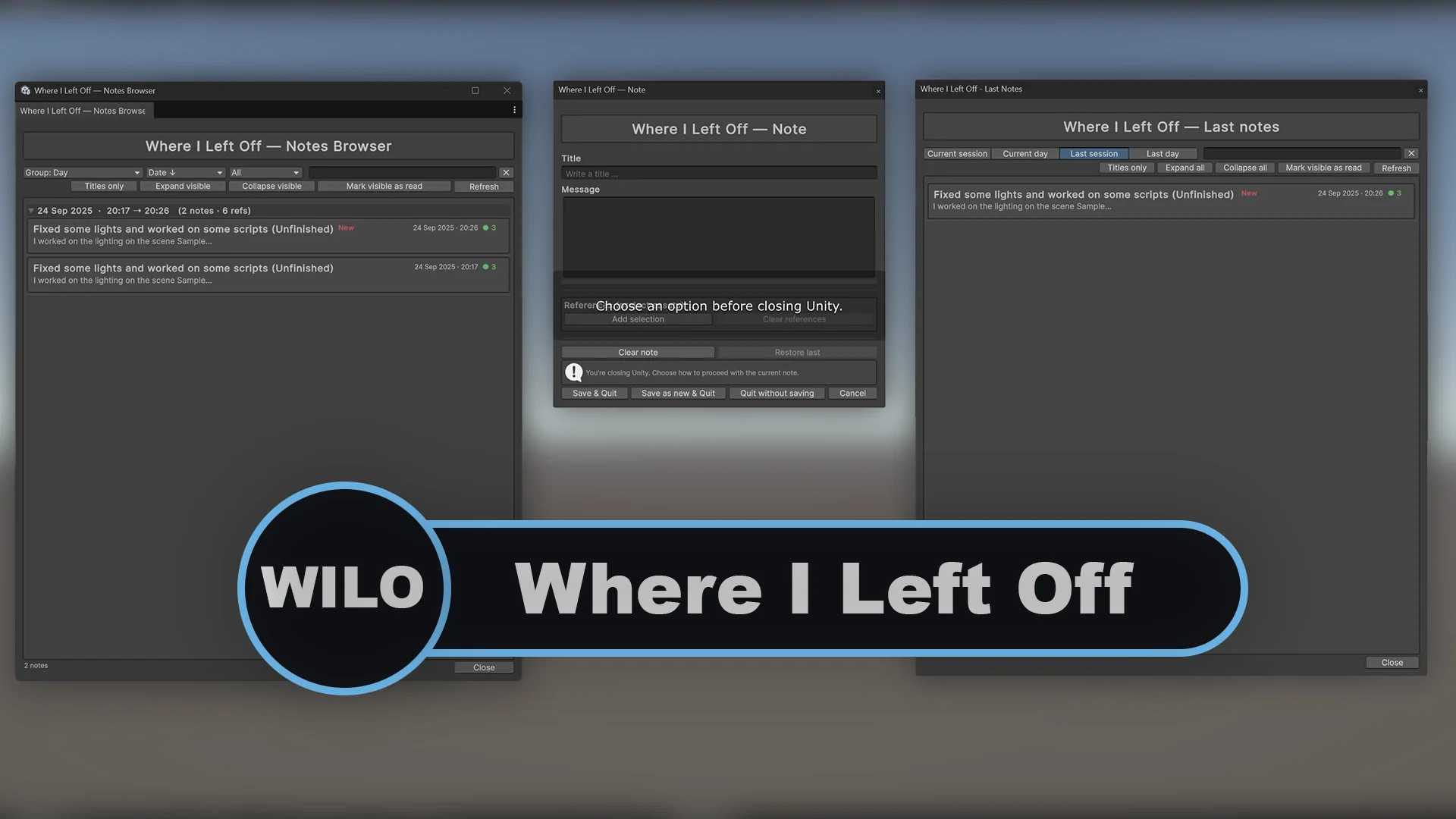
What I built: A lightweight bootstrap profile system for projects that use a shared Core scene. Each profile defines which main scene Core should open, plus any additional scenes that should be loaded alongside it.
Why it matters: The team could keep a production profile as the known good setup, while each developer could use their own profile for local testing. One developer could make Core open their scene, another could open a different scene, and builds could target the intended production profile without everyone editing the shared Core startup setup. That avoided overwriting each other’s work and removed the constant back-and-forth over which Core scene changes should be committed.
Runtime Presentation Helpers
What I built: Reusable helpers for common presentation behavior: transform lerps, material parameter animation, UI show/hide flows, delayed invoke-after-hide behavior, world-space button feedback, background music fades, camera-facing objects, camera-relative followers, bobbing, TMP counters, object pooling, and lightweight VFX triggers.
Why it matters: These were standard behaviors we needed repeatedly across projects, especially animation and lerp-based interactions. Packaging them as configurable components meant we did not have to rebuild the same motion, material, UI, and feedback scripts every time, while still being able to trigger them from UnityEvents, Timeline, events, or code.
Build & Naming Utilities
What I built: Small editor utilities for build preflight and batch renaming. The build preflight flow can automatically increment the build version/number before creating a build, while the rename tool helps clean up hierarchy objects, assets, and folders with previewed batch rules.
Why it matters: The build utility helped us avoid forgetting version bumps and made it easier to keep track of build iterations. The naming tools were smaller quality-of-life helpers, mainly saving time during project cleanup and asset organization.
Result
The result is a broad Unity tool suite that covers both production workflow and runtime behavior.
The strongest part is not any single script. It is the shift from scene-specific solutions to reusable authoring patterns: generated IDs instead of strings, ScriptableObject definitions instead of hidden logic, Building Blocks instead of manual setup, in-editor documentation instead of scattered notes, and runtime services designed to work across additive scenes.
That made the suite useful as a foundation for future Unity projects, while still allowing each system to be adopted separately when only one workflow was needed.
Want to talk about this kind of work?
Share the project where it fits. X opens with a question draft; LinkedIn shares the article link.