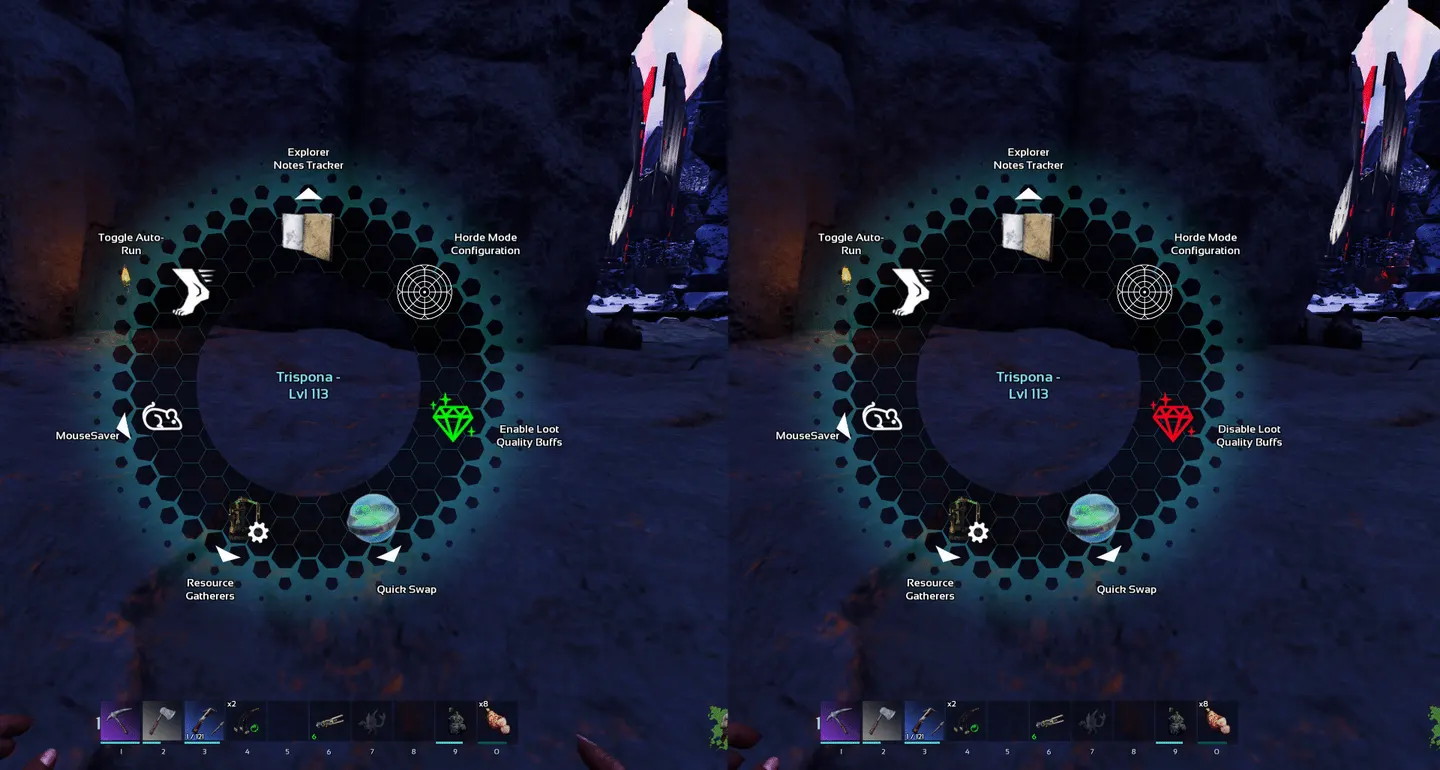
ASA Quick Note: Adding a Radial Menu Entry From a Player Buff
If I need to expose a custom radial menu action in ARK: Survival Ascended without building the whole feature around tick polling, this is the pattern I would reuse.
Core Idea
Use a persistent player buff as the UI anchor.
- keep the control buff on the player
- let that buff append a custom radial entry through
BPGetMultiUseEntries - handle the selected action in
BPTryMultiUse - use a second buff for the real gameplay effect if the feature needs stateful logic
That keeps the radial layer small and gives the actual system room to stay focused.
Flags That Matter
On the player control buff, the working setup needed the multiuse-related flags to be enabled, including:
Enable Multi UseBlueprint Multi Use EntriesBPAdd Multi Use EntriesAllow Multi Use Entries from SelfBuff Handle Instigator Multi Use Entries
Without that setup, simply implementing multiuse logic is not enough to make the entry appear.
Working Shape
The practical blueprint pattern is:
- ensure the player has the persistent control buff
- in
BPGetMultiUseEntries, receive the incoming entries - create one custom
MultiUseEntry - append it to the array
- return the modified array
- in
BPTryMultiUse, gate by the exactUseIndex - run the add/remove logic on the server side
For my Toggle Loot Quality Buffs mod, that control buff toggles a second buff that performs the real loot-related runtime logic.
Keep It Contextual
One useful choice here was not showing the entry all the time.
The player always has the persistent control buff, but the radial option is only exposed when it is relevant. In this case, that means only showing the action while the player has a loot-related crate buff worth toggling.
That keeps the wheel cleaner and makes the feature feel intentional instead of noisy.
Event-Driven State Beats Tick Here
Another important part of the pattern is state tracking.
For this mod, checking whether relevant buffs exist is event-driven. The system reacts through buff notifications instead of doing a constant tick-based scan of player state.
That is the part I would keep in future mods too:
- persistent buff for UI
- event-driven state updates
- separate effect buff when the feature needs stored runtime state
Practical Takeaway
If I want a reusable in-world player action in ASA, a persistent player buff is a solid place to anchor it.
The reusable version of the pattern is:
- bootstrap the control buff onto the player
- build the radial entry from that buff
- gate visibility so the option only appears when it matters
- keep the heavy logic outside the UI layer